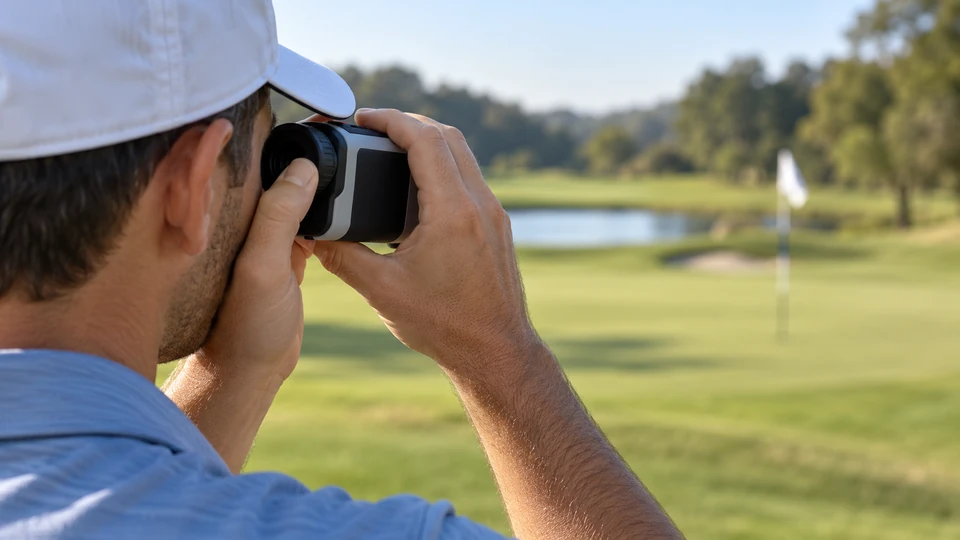
To use a golf rangefinder, steady the unit, bring the display into focus, aim at the intended target, and confirm a believable distance before choosing a shot. The flag is not always the easiest object in the scene to measure. If you are still choosing equipment, our golf rangefinder guide helps distinguish laser devices from other distance tools; the practical routine below concerns a handheld laser rangefinder.
A crisp number can still be the wrong number if you measured a tree behind the green. Good operation is therefore a short checking routine, rather than a race to press the button. Once the controls feel familiar, the process should fit comfortably into the time you spend preparing for your shot.
Learn the Controls Before the First Tee
Check the manual for the power button, measurement button, unit selection, eyepiece adjustment, and available modes. Some devices combine functions on one button, while others have a separate mode control. Do not assume that a long press or double press works the same way on a new model as it did on an old one.
Confirm whether the display uses yards or meters. A mistaken unit setting can produce readings that seem plausible until you compare them with a familiar marker. Set the preferred units before the round and check them again after a battery change or reset if the device’s instructions indicate that settings can change.
Charge the unit or fit the correct battery, then secure any battery cover and carry strap. Keep the lenses clean using the method recommended for the optics. A fingerprint or a damp lens can make an already small target harder to see, and rubbing it with a gritty towel introduces a different problem.
Focus the Display Before Chasing the Flag
Look through the eyepiece at a suitable distant scene and adjust the focus control until the reticle and display appear clear, following the model’s instructions. The reticle is the aiming mark inside the viewfinder. A blurred reticle makes the whole task feel uncertain before the laser has measured anything.
If you wear glasses, compare the supported eyecup positions and viewing distance without assuming that pressing the device harder against the lens will help. You should be able to see the important display information without awkwardly tilting your head. Eye relief and eyecup design vary, so another golfer’s comfortable setup may not suit you.
A clear central image with missing display edges can indicate a viewing-position issue rather than a focus problem. For equipment choices that address those differences, compare our rangefinders for golfers who wear glasses. Keep the fit question separate from claims about measurement accuracy.
Use a Repeatable Measurement Routine
- Stand where you have a clear view of the target without blocking another player.
- Hold the rangefinder securely and bring the aiming mark onto the target.
- Use the measurement or scanning method specified for that device.
- Read the distance and any target-confirmation symbol the unit provides.
- Repeat or check another reference when the result does not fit the scene.
A flag flapping against a busy background can be harder to acquire than a broad bunker face. If you suspect the laser is finding the trees, move the reticle deliberately back to the flag and repeat the supported target-acquisition process. Randomly waving the unit usually adds uncertainty rather than removing it.
Use a rough reference to judge whether the result makes sense. A nearby course marker or a GPS green distance can help reveal a major mismatch, though each reference describes its own location. A number outside an expected range deserves a second look before it determines your club selection.
What Flag Lock and Vibration Actually Tell You
Target-priority features are intended to help distinguish the flag from objects behind it, but implementations differ. Some units show a symbol, some vibrate, and some combine signals. Read what that confirmation means for the actual model instead of treating every buzz as identical evidence.
Confirmation does not replace looking at the target. A reflective object, a foreground branch, or a mistaken aim can still complicate a reading. Take particular care when the distance is surprising, the flag is partially hidden, or the background is much closer to the apparent target than usual.
For a concrete example of model-specific operation, Bushnell provides the official Tour V6 Shift instructions. Use your own device’s equivalent manual for controls and indicators. A tutorial for a similar-looking rangefinder is not a reliable substitute for its actual operating instructions.
Steady the View Without Fighting Your Hands
Begin with a balanced stance and a comfortable grip. Supporting the device with both hands, where practical, can be easier than holding it at arm’s length with one hand. Keep the setup relaxed enough to repeat; squeezing harder may make the view more difficult to settle.
Practice on a large, stationary reference before moving to a narrow flagstick. You are learning how much movement you see through magnification and how the measurement control behaves. That simple rehearsal can separate an unfamiliar handling routine from a feature limitation in the rangefinder itself.
If steadiness remains the main obstacle, our comparison of rangefinders for shaky hands explains relevant differences. Distinguish actual stabilization from vibration confirmation or an easy-grip body. Those features can serve different purposes, and none should be presented as a medical solution.
Keep Slope-Adjusted and Actual Distance Separate
A slope-enabled rangefinder may provide an adjusted playing distance based on elevation information. That number is different from the direct measured distance. Check which number is displayed, how the mode is indicated, and whether the device makes it easy to disable the feature when required.
In play governed by the Rules of Golf, permitted distance information and prohibited assistance must be distinguished. Do not use slope or other prohibited functions simply because the rangefinder has a “golf” mode. A committee can also impose restrictions on distance-measuring devices, so check the applicable event conditions before the round.
Outside that rules question, adjusted distance is still a tool rather than a complete shot decision. Wind, lie, a forced carry, and your normal dispersion matter. A display cannot decide whether the flag is a sensible target when the safe part of the green lies several paces away.
Fix the Simple Problems First
For inconsistent readings, check power, units, lens condition, focus, target visibility, and operating mode before assuming the laser has failed. Try a clear stationary object at a reasonable distance within the device’s stated operating limits. A reliable reading there narrows the problem to the more difficult target or conditions.
Rain, mist, obstructions, and a poorly visible target can limit useful ranging. Follow the manufacturer’s troubleshooting guidance, and stop repeated attempts if they are delaying play. Another distance reference and a sensible target can be more helpful than ten hurried measurements of the same hidden flag.
The aim is a short habit you trust: see clearly, aim deliberately, measure, and check plausibility. Once that sequence feels routine, the rangefinder becomes a useful input to a golf decision instead of a small optical puzzle before every approach.
